

Using FIRST Dashboard for calling Merchant, Driver, and end-Diner
Last updated September 3, 2025
Throughout the delivery process, you may need to contact the parties involved. Finding the phone number for the Merchant, Driver, and Customer is easy in FIRST. Here are some instances where you may need to make a phone call:
Reasons to call the Merchant:
- Verify that an order has been picked up
- Inquire about making a reorder
- Inform them that a delivery they requested is out of zone
Reasons to call the Driver:
- Inquire about ETA
- Inquire about missing deliveries
- Inform them of an address change
Reasons to call the Diner (end-customer):
- Confirm that an order has been delivered
- Relay a new ETA
- Inquire about needing a reorder
Call Driver from Dispatch
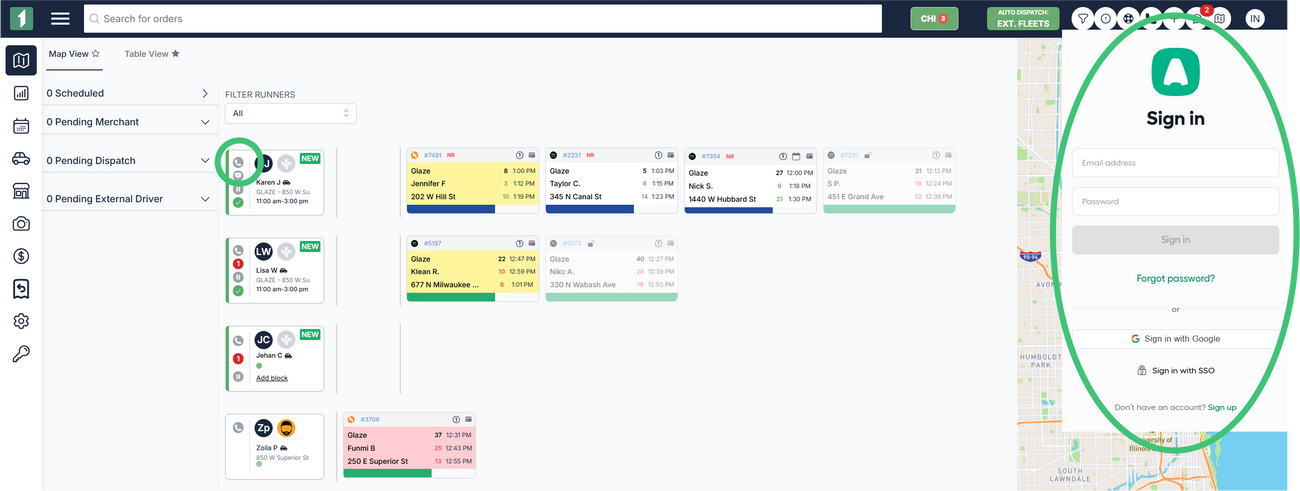
In Map View dispatch, the driver cards have phone buttons that you can use if you have a phone app installed on your computer/device.
- Navigate to the Dispatch Page.
- Select Map View in the top left corner.
- Click the Phone icon on the driver you want to contact.
- We only integrate today with Aircall.io
Call Driver, Merchant, or Diner from Order Details
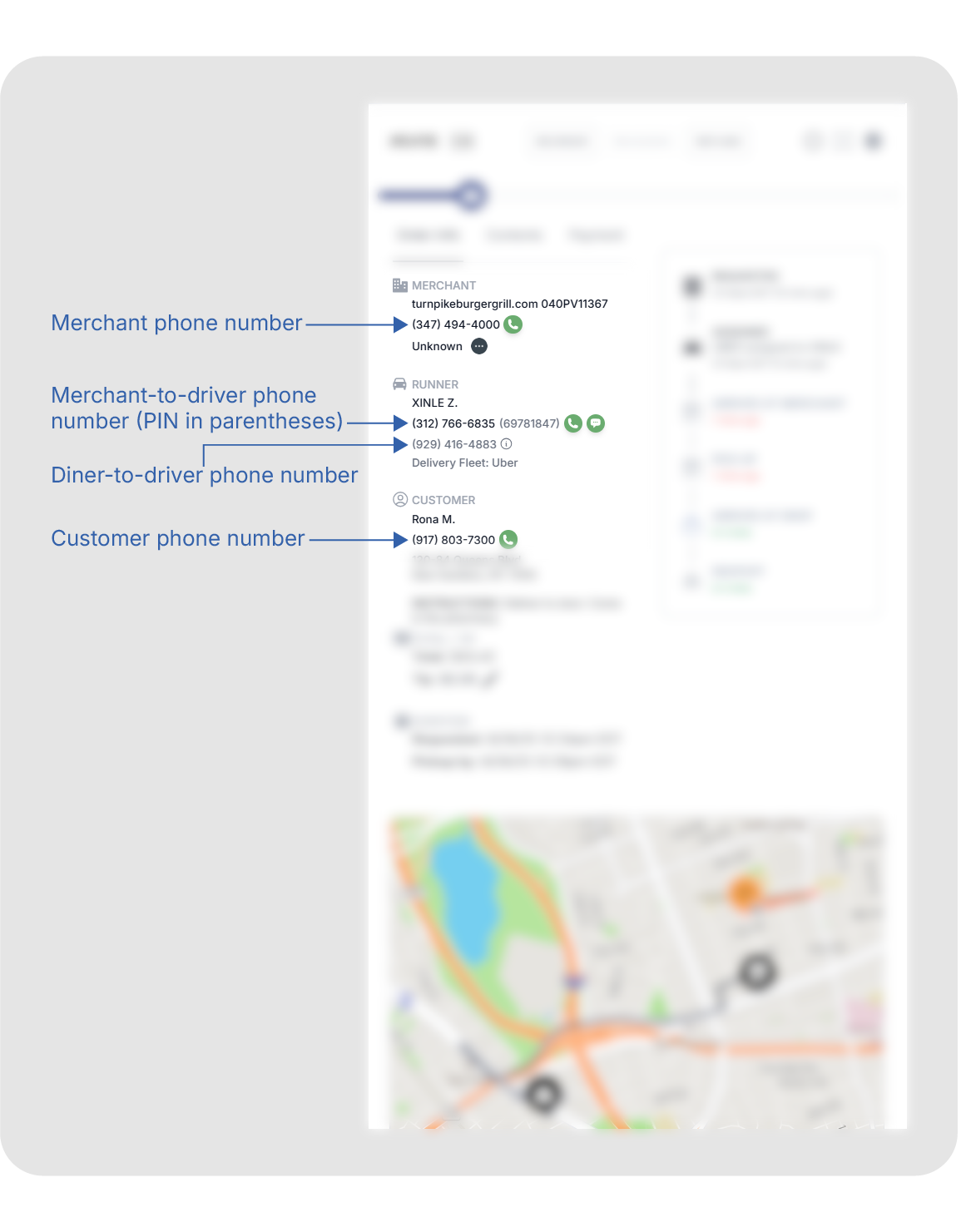
You can open order details from either Map View or Table View dispatch. Order Details has a phone button next to each party, and also lists the phone number so you can dial from another device.
- Navigate to the Dispatch page.
- Choose either Map View or Table View.
- Click on the order you want to open Order Details.
- Locate the entity you want to call under Order Info.
External Drivers are only directly reachable by the merchant and diner. Fleets like DoorDash and Uber assign different numbers for the merchant and diner to use, and we've identified them in order details. These phone numbers won't use for anyone besides the party they are assigned to.
Once an external delivery is completed, the driver will not be directly reachable. If you need to reach out to the driver after they've completed or cancelled the order, reach out to the DSP Support line and give them the external DSP ID so they can reach out to the driver on your behalf.
Locating the phone number you need in FIRST is easy because communication is crucial for a smooth delivery experience. If, for any reason, you cannot reach the driver, reach out to the DSP Support number.