

Requesting Refunds from Merchant App
Last updated May 14, 2026
Have a delivery issue? You can request a refund from the delivery provider.
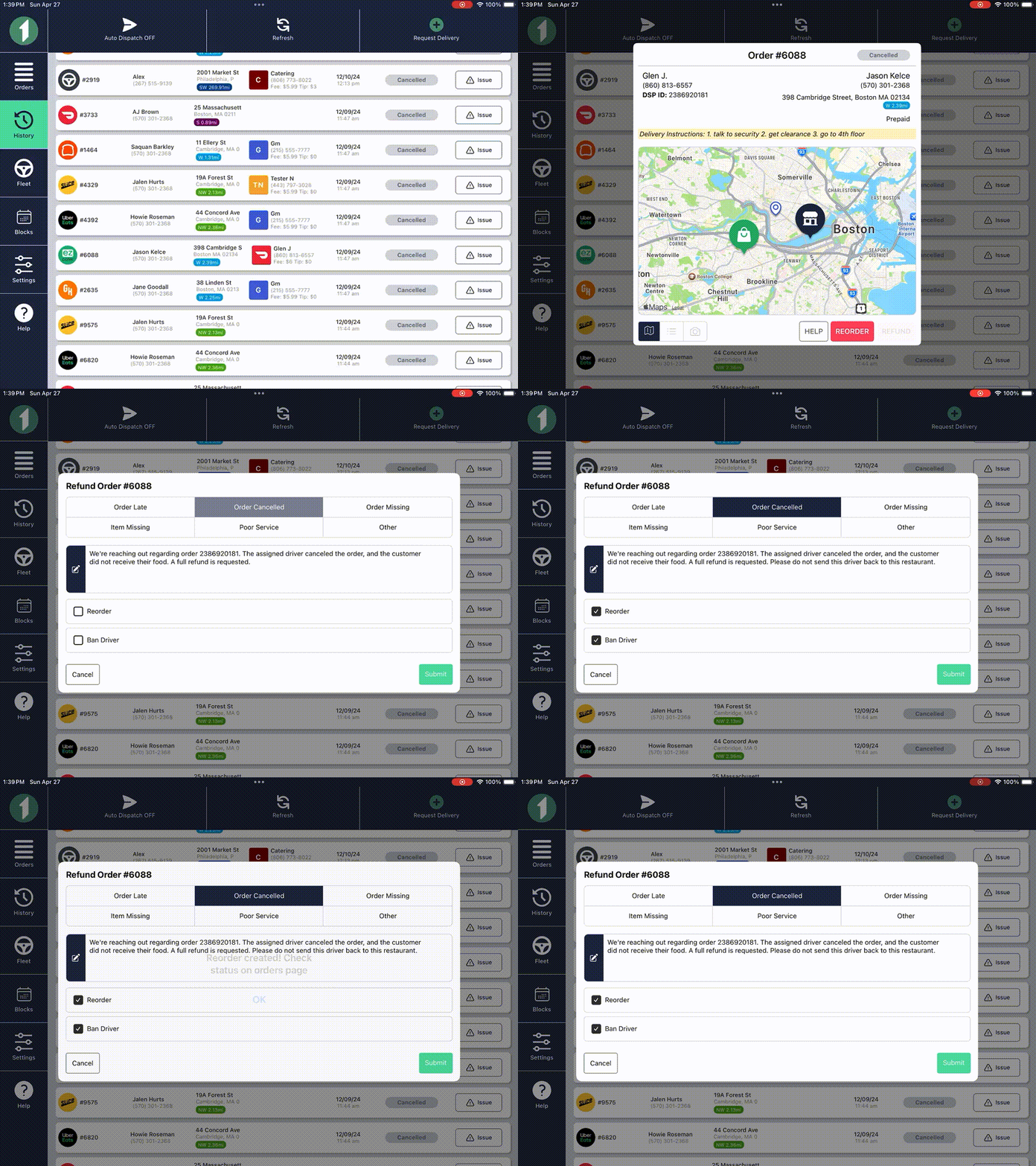
You can request a refund in the FIRST Merchant app in 2-clicks. When requesting a refund, you can also choose to ban the driver. Note: this takes at least 24 hours to go into effect.
How to request a refund from merchant app:
- Click on orders that has been completed or cancelled
- Click refund
- Choose refund reason (reorder and ban driver if applicable)
- Press Submit!
How Refunds Work:
When you request a refund, that request goes to the DSP. The DSP then takes up to a few business days to decide the refund value per their Refund Matrix. Once they've made their decision, they will send us an update via our API so you can see it in the DSP Refunds table . The DSP will send the refund to First Delivery on their next invoice, and First Delivery will then send the refund to you on your next invoice. The whole process can take about a month.
If your customer is demanding a refund immediately, it is your choice to refund them now, or wait until you receive the refund from us.