

Reschedule Delivery in Merchant App
Last updated July 30, 2026
Whether you need to change an ASAP order to scheduled, a scheduled order to ASAP, or simply change the scheduled date and time, you can do that from the main orders page in your merchant app.
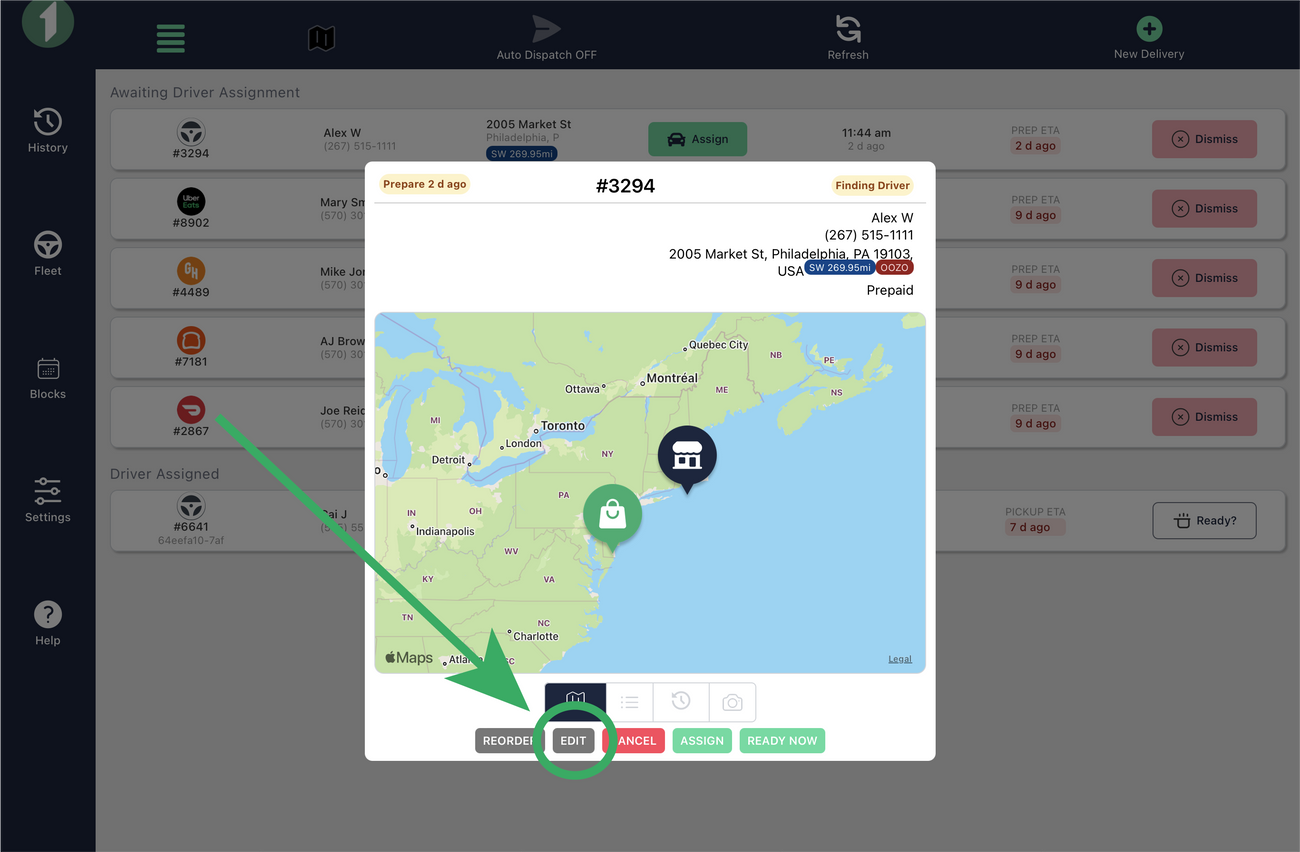
- Click on the order to open order details.
- Click EDIT
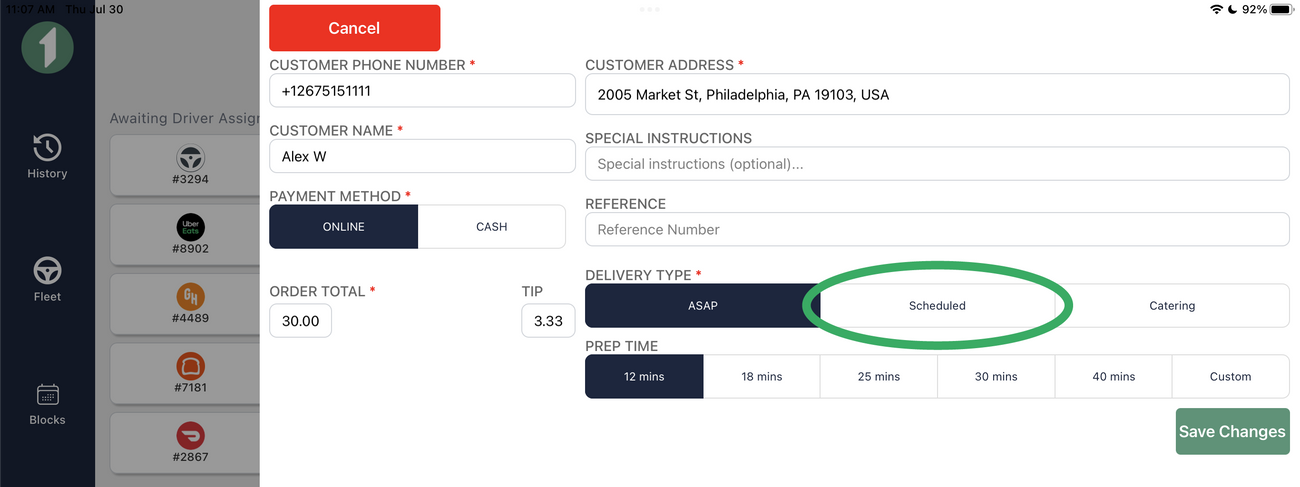
- Choose ASAP or SCHEDULED from Delivery Type
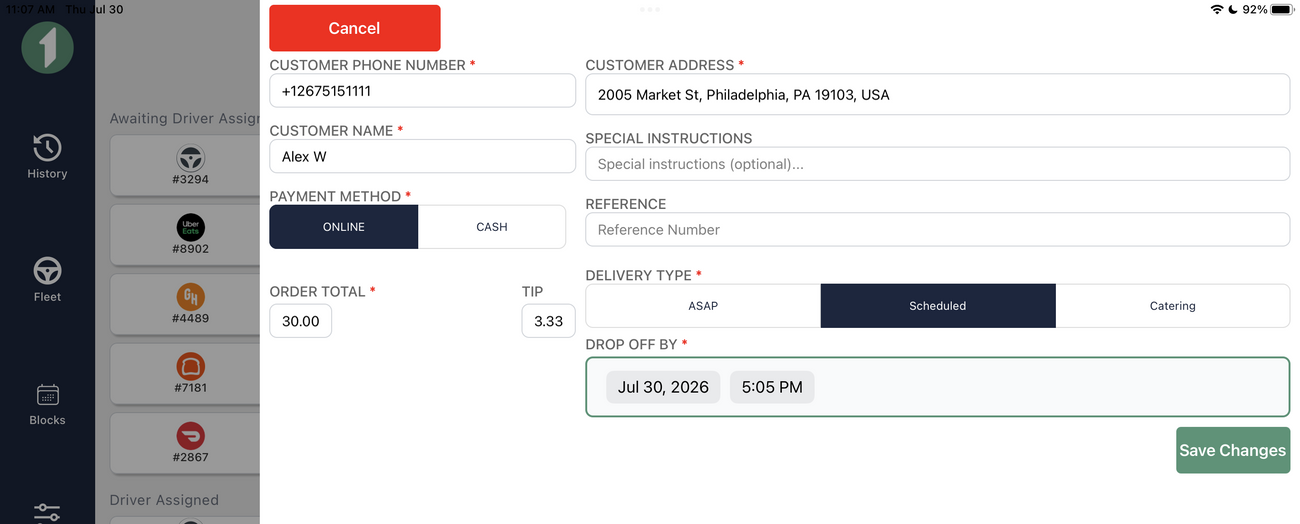
- If Scheduled, select the date and time.
- Hit Save Changes.
Was this article helpful?