

2. How to add the Toast Integration on FIRST
Last updated September 27, 2025
After the restaurant has installed FIRST Delivery on Toast. An email with the restaurants GUID is sent to the FIRST Team.
- In your url navigate to: dispatch.firstdelivery.com/vendors
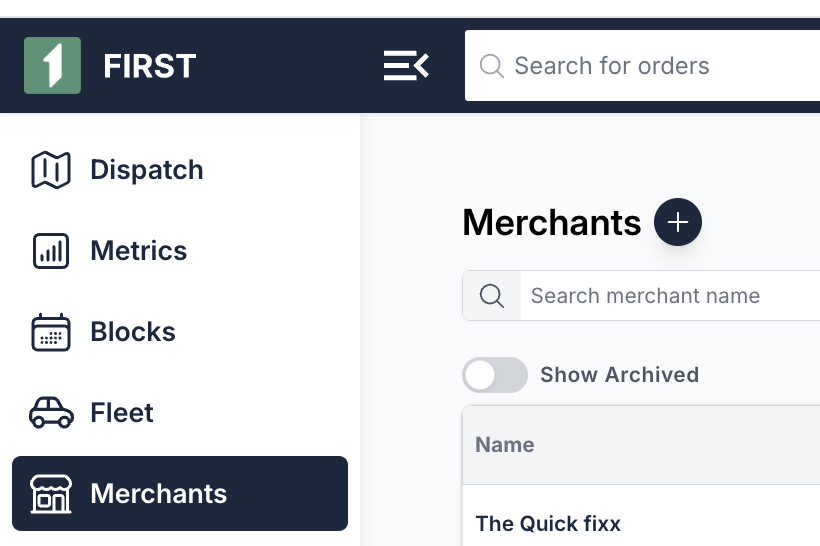
- Click on the Merchant that you want to enable Toast for, and navigate to the "Integrations" tab
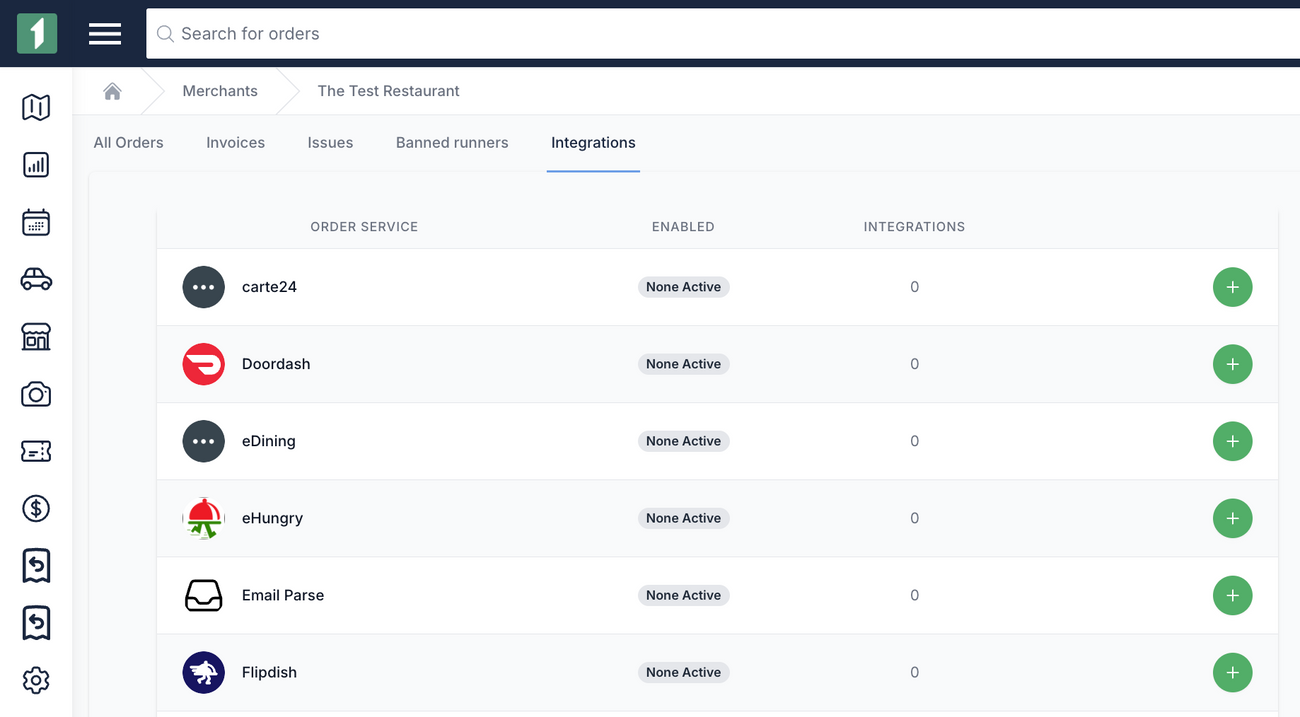
- Scroll down to "Toast POS", click the + button
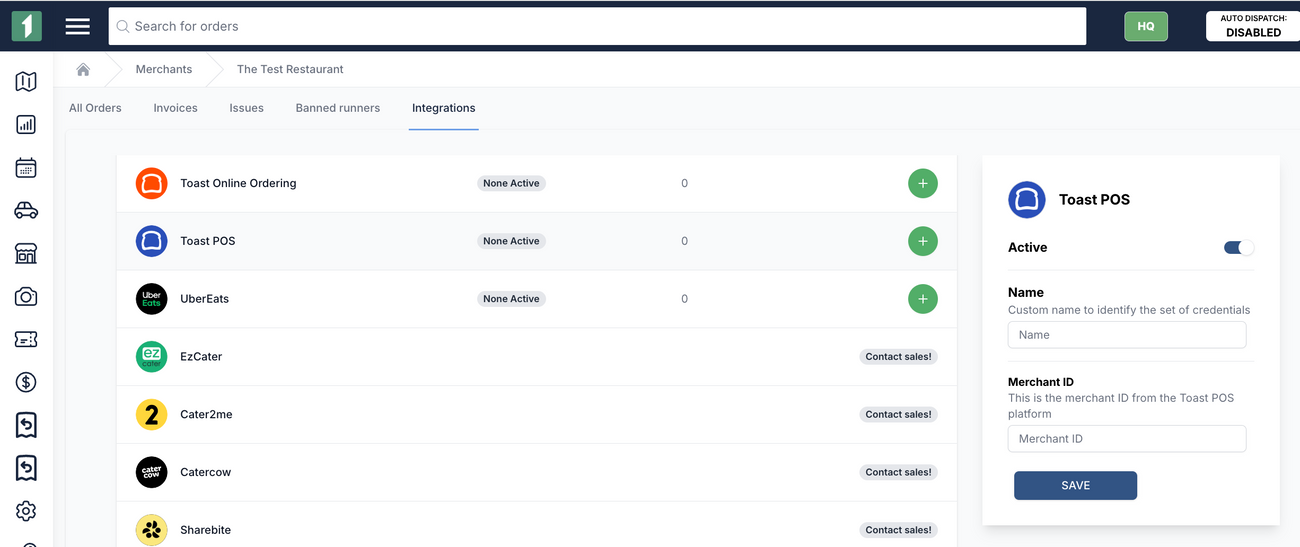
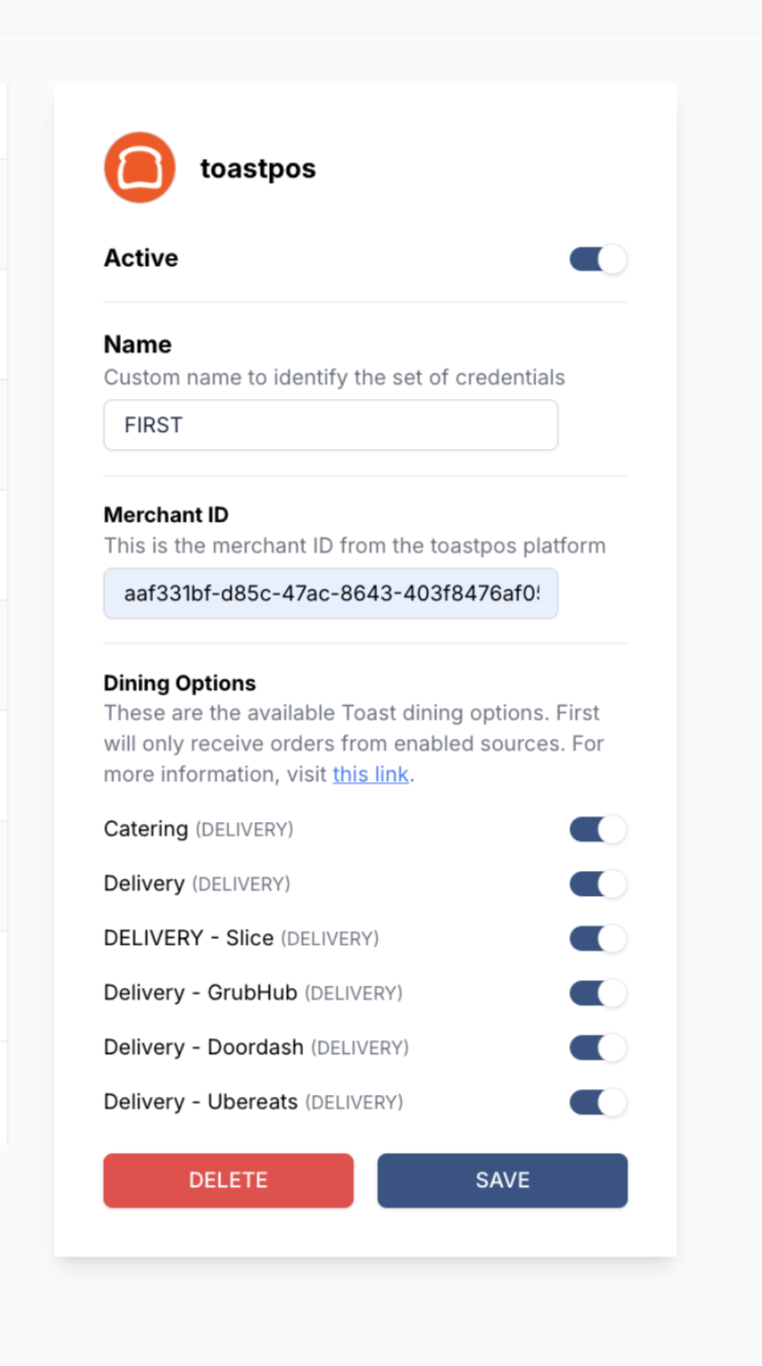
- Paste your "Restaurant Location id" from Toast and click "save"
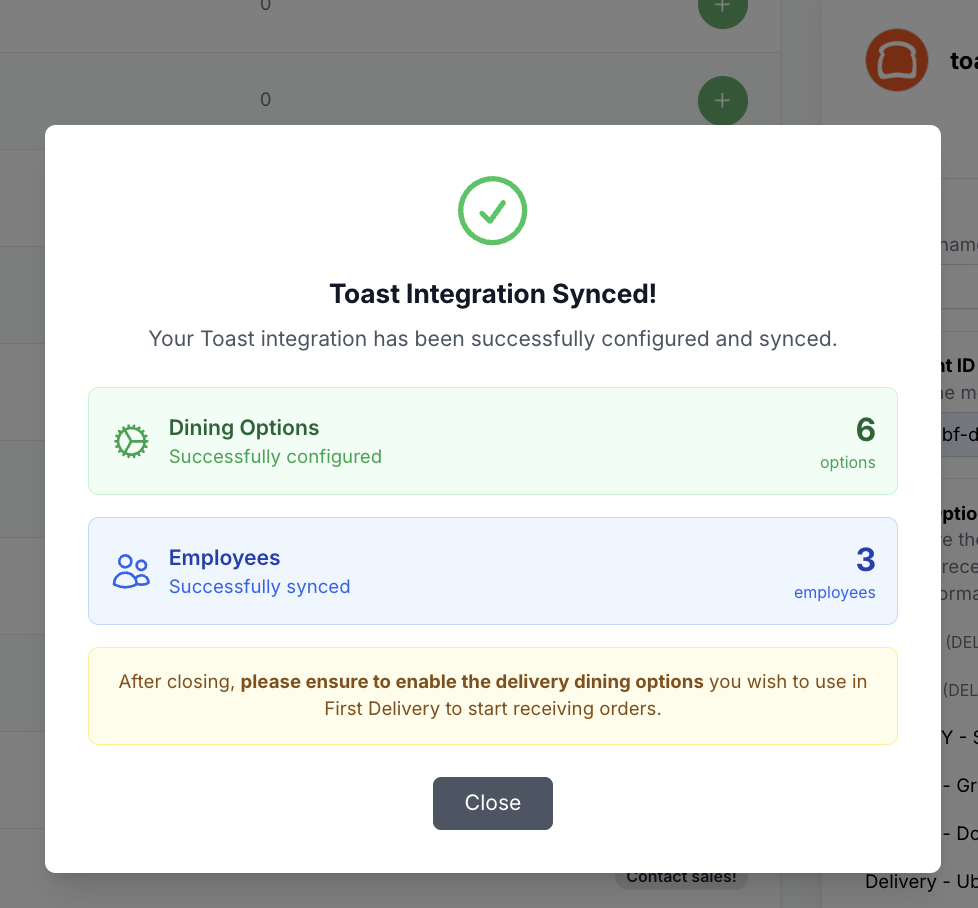
- Enable the Dining Options of which orders should be sent to FIRST for deliver
Was this article helpful?